Keeping Your Fork in Sync
A one-click Vercel deployment may keep showing an "update available" prompt — because Vercel creates a new project rather than a fork, so it can't detect upstream updates. To fix this:
- Delete the original repository
- Use the Fork button at the top-right of the page to fork this project
- On the Vercel new-project page, re-import the forked repository under Import Git Repository and deploy
Enable Auto-Update
If you hit an Upstream Sync error, run Sync Fork manually once!
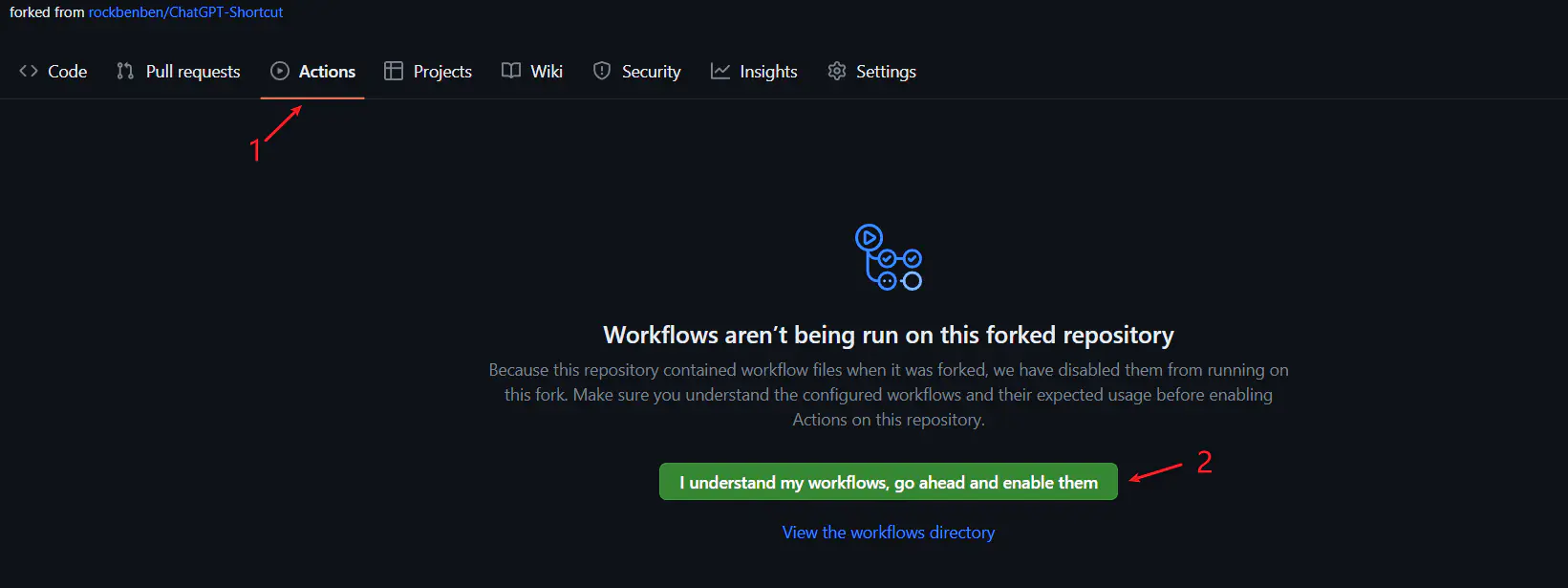
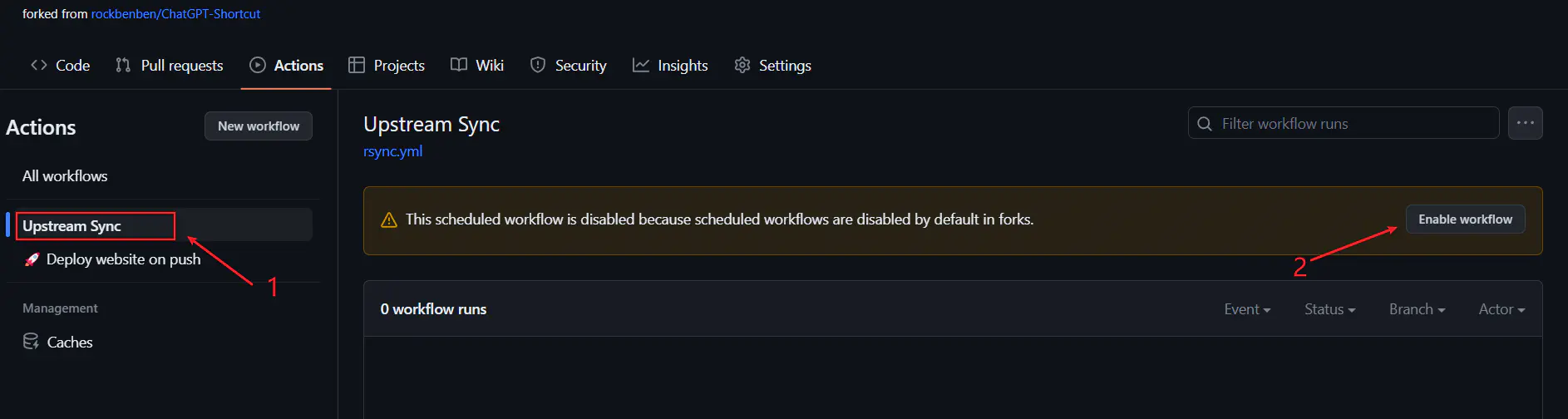
After forking, manually enable Workflows on the Actions page and run the Upstream Sync action once. Once enabled, the project syncs automatically every day:
Manual Update
Want to update immediately by hand? See the GitHub fork-syncing docs.
You can also star / watch this project to get notified of new features.