Chrome ZIP Extension Local Installation Guide
This guide assumes you've already downloaded and extracted the ZIP package from the installation page.
⚠️ Two common pitfalls:
- The extracted folder must be kept permanently (the extension reads from this directory at runtime) — put it in a permanent location before continuing
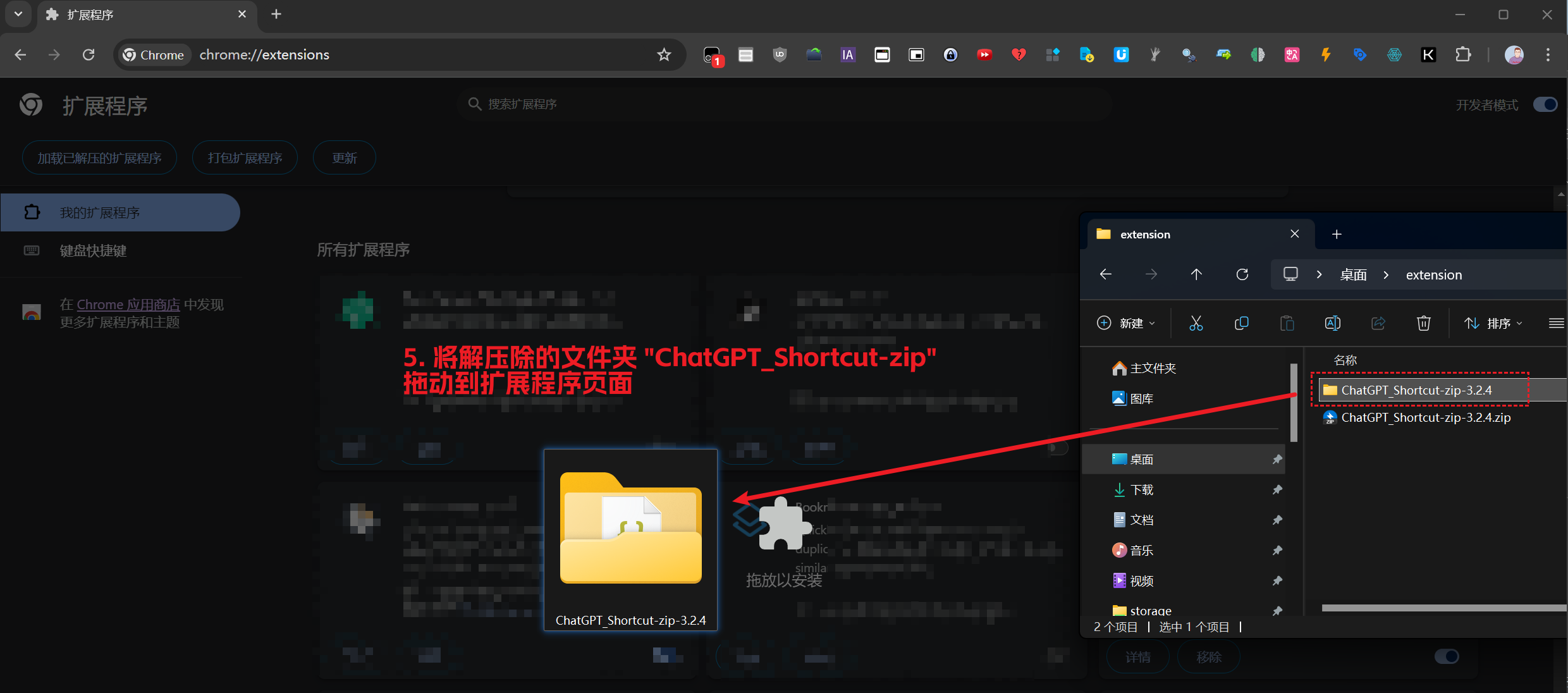
- You drag in the entire extracted folder — not the zip file itself, and not an individual file inside the folder
Enable Developer Mode
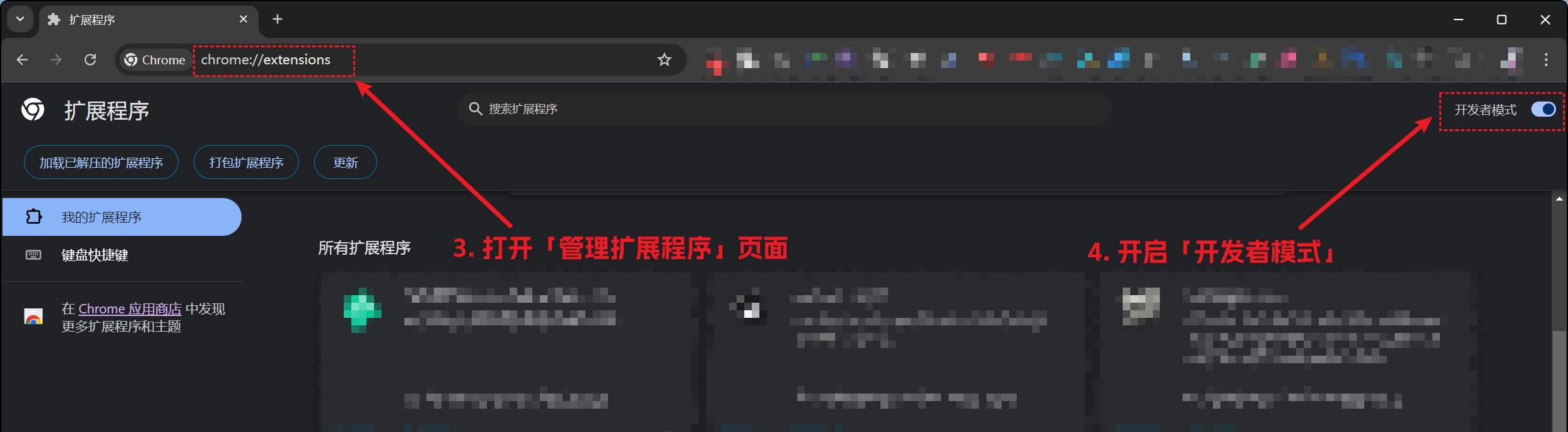
Open Chrome's "Manage Extensions" page and turn on "Developer mode".
Copy the following address, paste it into the browser address bar, and press Enter. Turn on "Developer mode" in the top right corner of the page.
chrome://extensions
Install Extension
Drag the unzipped folder into the extensions page to complete the installation.
After successful installation, check the Plugin Usage Tutorial.